
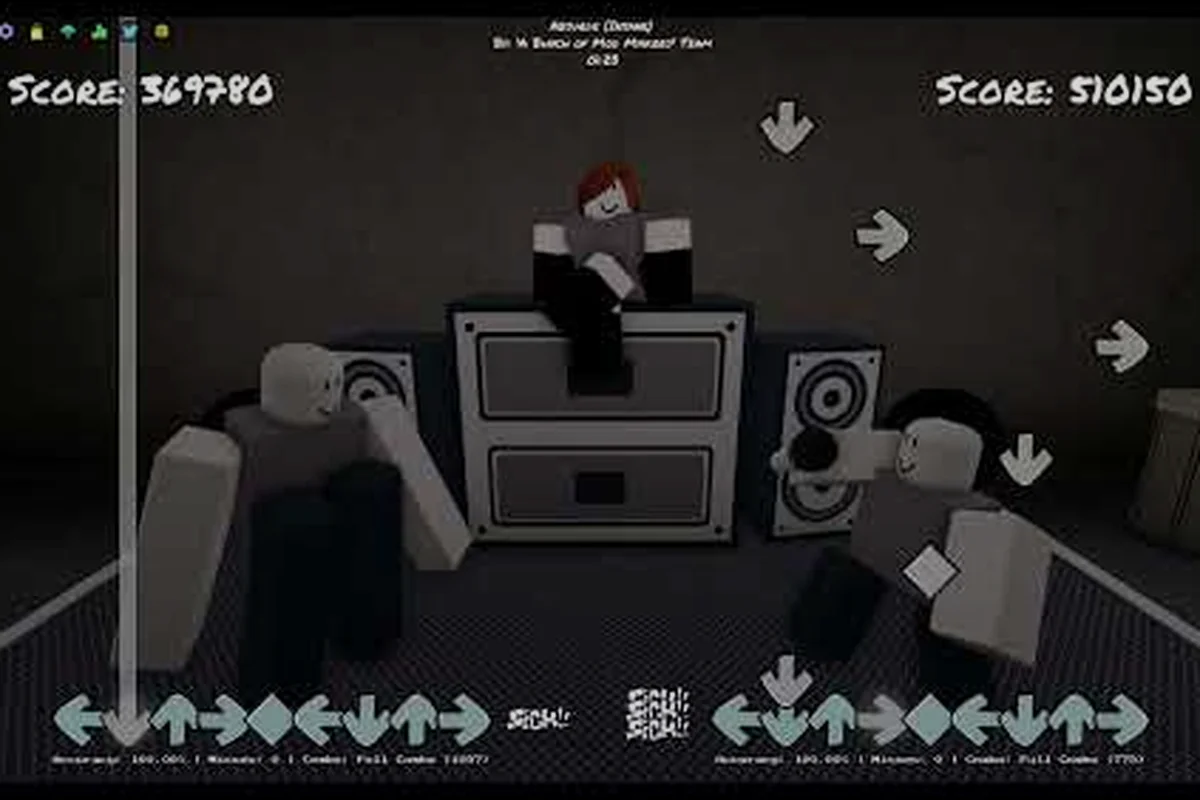
A misaligned Funky Friday audio offset can turn a clean full combo into a wall of missed notes, and the fix usually takes less than two minutes once you know which setting to touch. This guide walks through every step of diagnosing sync drift, tuning the in-game latency slider, and picking the right songs to verify your changes against the star-rating system.
Why Funky Friday Audio Offset Happens and How to Spot It
Funky Friday audio offset describes the gap between the moment a note scrolls onto the receptor and the beat it actually lands on. When the gap drifts, arrows start arriving early or late relative to the music, which directly affects your Funky Friday star ratings because combo count, accuracy percentage, and max combo are all factored into the final score. Players on the r/roblox Funky Friday thread have reported drift that worsens as a song progresses, which is consistent with a cumulative buffering bug rather than a single fixed delay.
Most Funky Friday audio offset problems can be traced back to a small, predictable set of causes that interfere with the client-side timing clock Roblox uses to align arrows with the audio stream. Because the game decodes chart data and music through separate pipelines before splicing them together at render time, any lag, desync, or stale asset in those pipelines surfaces as a visible drift between receptor and receptor hit. Understanding which of those three pipelines is the actual culprit is what separates a one-minute offset fix from endless trial-and-error tweaking.
-
Device latency: the time between pressing a key and Roblox registering the input. Mechanical keyboards and low-latency controllers typically register within 5-15 ms, while wireless peripherals can add 30-50 ms.
-
Frame pacing: a framerate drop causes the chart to "skip" forward visually while the audio keeps its steady clock, which feels like the notes are arriving early.
-
Browser or client cache: an old cached asset can load a slightly different version of the chart or audio than the server expects, leading to the gradual drift pattern players describe.
Before adjusting anything, run a quick visual check: pick a song you can full combo with your eyes closed and watch the arrows. If they consistently land on the receptor about one arrow-width before the beat marker, your offset is too low. If they land a hair after, your offset is too high. For a deeper breakdown of the difficulty ladder and how each tier scales arrows per second, the Funky Friday difficulty guide covers the underlying chart density that makes timing precision matter even more on harder songs.
Calibrating the Funky Friday Audio Offset Step by Step
The in-game settings menu holds the actual fix, and the procedure is short enough to repeat any time you switch devices or feel drift creeping in. The walkthrough below borrows the structure used by Shyist's 2025 settings video, which walks through every toggle in the audio and input tabs.
Step 1: Open the Settings Menu
From the song select screen, click the gear icon in the top-right corner. The settings window has three tabs: Gameplay, Visuals, and Audio. The offset slider lives under Audio, labeled Global Offset in milliseconds. Roblox's recent settings migration also moved keybinds into an Arrow Customization submenu, so do not confuse the keybind list with the audio controls.
Step 2: Pick a Reference Song
Use one of the Funky Friday easiest songs on Easy difficulty for calibration, because the arrow stream is sparse enough that even a small visual error stands out. The community generally recommends short 4K tracks under two minutes, since cumulative drift is less likely to throw off your read on a brief chart. Avoid 9 key charts during calibration; the additional arrow columns add visual noise that makes it harder to judge whether a single arrow landed early or late.
Step 3: Adjust in 5 ms Increments
| Current Behavior | Adjustment |
|---|---|
| Notes land before the beat marker | Raise offset by 5-10 ms |
| Notes land after the beat marker | Lower offset by 5-10 ms |
| Combo breaks randomly mid-song | Lower offset by 10-20 ms |
| First 10 seconds feel fine, then drift | Raise offset by 5 ms and retest |
Each adjustment is saved instantly, so you can hot-swap into a new attempt without closing the menu. Most players settle somewhere between -40 ms and +40 ms, with the median landing near -10 ms based on community reports, but your exact value depends on your input device and monitor refresh rate.
Step 4: Verify With a Star-Rating Run
Once the offset feels stable, play a song you can already clear and watch the Funky Friday song stars counter at the end of the track. A correctly calibrated offset should produce a noticeably higher accuracy percentage on the same song at the same difficulty, which translates to a higher star tier. If your stars do not improve after a 20 ms swing, the problem is more likely frame pacing or cache rather than pure offset.
Funky Friday Difficulty Tiers and How Star Ratings Scale
The Funky Friday difficulty tiers ladder runs Easy, Normal, Hard, Expert, and Insane, with select mods adding special variants like Alt, Mania, Bad Time, Dimensions, Lunatic, and Hardcore. The wiki's Difficulties page notes that Everlasting Eternity [Mania] and Final Destination function as the community's benchmark endgame charts, and they demand a perfectly tuned offset because their note density punishes any timing wobble.
Star ratings in Funky Friday are awarded at the end of each song based on a combined evaluation of your accuracy percentage, max combo, and whether you held the health bar above zero throughout the chart, which makes a well-tuned audio offset directly relevant since mistimed judgements deflate your accuracy score and can drop you below the next star threshold. The rough tier breakdown starts at two stars for passing and climbs to a five-star clear that typically demands a full or near-full combo on the chart.
| Star Tier | Typical Accuracy | Combo Requirement |
|---|---|---|
| ★★ | 70-80% | Any non-zero combo |
| ★★★ | 80-90% | 50%+ max combo |
| ★★★★ | 90-97% | 80%+ max combo |
| ★★★★★ | 97-100% | Full combo or near-full |
Higher difficulty tiers do not multiply the star threshold, but they make it far harder to hit those accuracy windows because individual mistimed notes carry a heavier accuracy penalty when the chart is dense. A 97% on Easy is achievable after a few practice runs, while a 97% on an Insane chart can take dozens of attempts even for veteran players. Songs where you consistently miss the star threshold by a thin accuracy margin are often the best calibration test cases, because a correctly tuned offset can flip a 96% run into a 97% clear.
Funky Friday Easiest Songs to Use as Calibration Targets
Calibrating against a chart you cannot yet clear is useless, so start with songs you can already pass with margin to spare. The Funky Friday easiest songs tend to be the base-game Week 1 and Week 2 tracks on Easy mode, which are short, slow, and use only the four default lanes. Mod charts labeled [Easy] or [Beginner] are also safe bets, but check the wiki Songs page first because some mod charts marked Easy are actually charted at Normal density.
| Song | Length | Best For |
|---|---|---|
| Week 1 tutorial track | ~1:20 | First-time offset check |
| Week 2 base track | ~1:45 | Verifying mid-song stability |
| Any 4K [Easy] mod | ~1:30-2:00 | Long-form drift testing |
| Short 6K [Easy] mod | ~1:30 | Testing key mode shift |
Once the 4K calibration feels solid, repeat the test on a 6K Easy chart, because the extra arrow column shifts the average hand position and can expose a different latency profile. If you want to step up to the Funky Friday 9 key guide workflow, the Funky Friday expert songs overview walks through how 9 key mode stretches the same Expert and Insane charts across more lanes, which is the natural next step after your offset is rock-solid on 4K and 6K.
Funky Friday Settings Explained: Toggles That Affect Sync
The offset slider is the headline control, but several other toggles in the same menu can mask or worsen a sync problem. IN_CredibleBacon's PRO settings walkthrough covers the full list, and the cheat sheet below distills the ones that matter for Funky Friday settings explained in a sync-tuning context.
| Setting | Recommended for Calibration | Effect on Sync |
|---|---|---|
| Global Offset | Adjust in 5 ms steps | Direct audio/visual shift |
| Hit Window | Keep at default | Tighter window punishes small errors more |
| Downscroll vs Upscroll | Match your chart-reading habit | Does not change offset, but affects perceived timing |
| Arrow Speed | Default (1.0x) for calibration | Faster speeds compress visual feedback |
| Low Graphics Mode | Off if your device handles it | Lower mode can stutter and break pacing |
| Receptor Flash | On | Provides a clear visual confirm of input timing |
The Hit Window is worth a closer look. It defines how many milliseconds before or after a note passes the receptor still counts as a hit. A tighter window rewards precision but makes any remaining offset error more punishing. During calibration, keep it at default so you are tuning the offset rather than compensating for window settings at the same time.
If you want a more complete settings walkthrough including the Visuals tab and the Arrow Customization UI, the Funky Friday how-to-win guide covers keybind remapping, console and mobile control layouts, and the settings migration update that relocated keybinds into the Arrow Customization submenu.
Common Audio Offset Problems and Targeted Fixes
Even after a careful calibration, certain patterns keep showing up in community reports. The table below maps the symptom to the most likely cause and the fastest fix, distilled from the the Reddit sync thread and the Funky Friday update history on Funkipedia.
| Symptom | Likely Cause | Recommended Fix |
|---|---|---|
| First 10 seconds feel fine, then drift | Cumulative buffering bug | Lower offset by 5-10 ms and restart the song |
| Random combo breaks on long songs | Frame pacing stutter | Enable VSync, cap framerate to monitor refresh |
| Offset feels different each session | Cached audio assets | Clear Roblox cache, restart client |
| Offset fine on 4K, off on 9 key | Different visual scan path | Re-calibrate specifically on 9 key mode |
| Star rating inconsistent run-to-run | Hit window too tight for skill level | Widen hit window temporarily, retrain muscle memory |
| Audio stutters on specific songs | Custom rate asset issue | Check update history for that chart's hotfix status |
If none of these resolve the issue, the problem is likely device-level rather than game-level. Try a wired keyboard if you are on wireless, disable any keyboard macro software that might be intercepting inputs, and make sure Roblox is not running through a VPN that adds network jitter. The Funky Friday update history page has fixed several sync issues in past patches, so checking the most recent changelog before deep-tuning is a worthwhile first step.
Putting It All Together
A clean Funky Friday audio offset is the single highest-leverage fix for players who feel like they are "almost" full-comboing a song but keep losing accuracy on the final percent. Calibration takes about five minutes with one of the easy songs, and the same procedure scales up to 6K and 9 key charts once you graduate. Star ratings are the cleanest feedback signal because they translate timing precision into a single comparable number, so use them as the verification step rather than guessing whether the offset "feels" right. After that, the rest of the difficulty tiers unlock in order as your timing stays clean from Easy all the way through to the endgame benchmark charts.
Frequently Asked Questions
What is a good starting Funky Friday audio offset value?
Most players settle between -40 ms and +40 ms, with the community median around -10 ms. Start at zero, run a calibration song, and adjust in 5 ms steps based on whether notes land early or late relative to the beat marker.
Do star ratings change between difficulty tiers?
The accuracy thresholds for Funky Friday star ratings stay the same across difficulties, but reaching a 97% accuracy window is far harder on Insane than on Easy because dense charts punish every mistimed note more heavily. The combo requirement scales similarly.
Which songs are best for offset calibration?
Use the Funky Friday easiest songs on 4K Easy for offset calibration, prioritizing short tracks under two minutes such as beginner-tier charts with sparse arrow patterns. Long songs help expose cumulative drift across a full song cycle, but short tracks let you isolate a single mistimed note and confirm whether your funky friday audio offset change actually moved the hit window in the right direction during each 5 ms adjustment.
Does 9 key mode need a different offset than 4K?
Often yes. The Funky Friday 9 key guide workflow recommends re-calibrating after switching key counts because the wider arrow spread changes your visual scan path and average hand position, which exposes a slightly different latency profile even on the same device.
Where do I find the offset slider in the settings menu?
Open the gear icon from the song select screen, switch to the Audio tab, and look for the Global Offset slider measured in milliseconds. Note that the recent settings migration moved keybinds into an Arrow Customization submenu, so do not confuse the keybind list with the audio controls.