
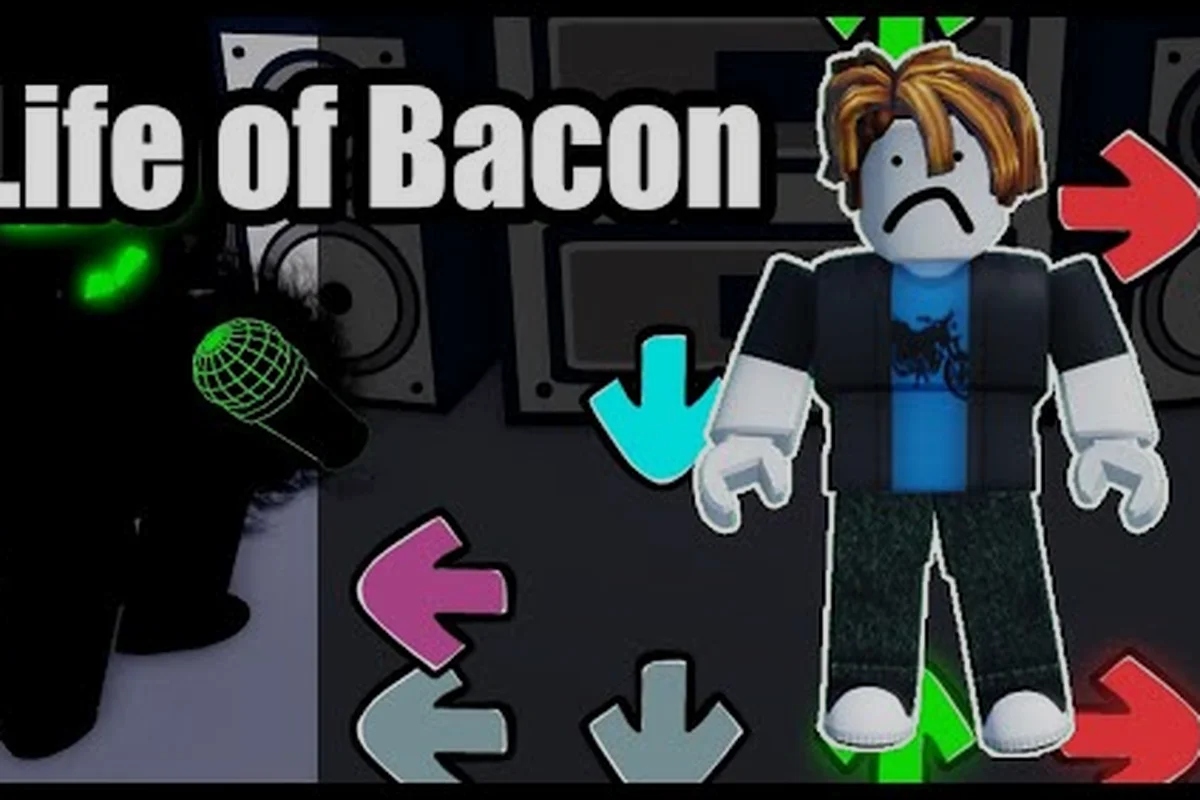
Funky Friday is a Roblox rhythm game that drops you into head-to-head beat-box duels, and this Funky Friday walkthrough gives you the fastest on-ramp from a brand-new account to a clean first combo. Before you queue your first match, you should know exactly what Funky Friday is, how the PC controls map to your hands, and which beginner settings make the chart easier to read. The rest of this guide covers all of that in order, with the controls, the song-difficulty tiers, and the early-game habits that decide whether your first hour feels smooth or chaotic.
A Full Round From Lobby to Results Screen
Funky Friday is a Roblox rhythm experience built around short, repeatable duels where two players trade notes across a single stage, and the player with the higher accuracy at the end of the song wins the round. According to the Funky Friday official Roblox page, the game draws its core loop from Friday Night Funkin', but it layers in online matchmaking, custom keybinds, arrow skins, and a Solo mode so you can grind charts without queuing against a real opponent.
The reason Funky Friday feels approachable is that every round compresses into three phases. First, both players select a song and a difficulty tier before the round starts. Second, the chart scrolls upward and your job is to hit each arrow with the corresponding key at the exact moment the note crosses the receptor. Third, the scoreboard tallies hits, misses, and accuracy percentage, and the higher accuracy wins. The Funky Friday Fandom wiki describes the same loop in nearly identical terms, which is a good sign that the core rule set has stayed stable across recent updates.
The Core Game Modes You Will See on Launch
When you open the game for the first time, the lobby splits your options into a small number of clearly named buttons. The table below lays out what each one actually does in practice, based on how the mode is described on the official page and the Roblox wiki entry for Funky Friday.
| Mode | Opponent | Best Use Case | Notes for Beginners |
|---|---|---|---|
| Online Match | Real player | Practice under pressure | Matchmaking can be uneven at low play counts |
| Solo | CPU or chart only | Grind accuracy and full-combo | Unlocks once you have a couple of songs available |
| Private Room | Friend invite | Duels with a known skill level | Great for testing keybind changes live |
| Event Lobby | Real player | Time-limited reward tracks | Difficulty spikes; skip until you are comfortable |
Why "Funky Friday Basics" Matter More Than Song Picks
A lot of new players assume they need to find the easiest song to start, but community testing on the r/funkyfridayroblox subreddit shows that accuracy on a familiar mid-tier song almost always beats a shaky run on a chart that is technically easier. In practice, Funky Friday basics reduce to three habits: pick a chart you can actually read, lock in your PC controls before the first note, and stop the round early if your miss count starts snowballing. Everything else in this walkthrough feeds back into those three ideas.
If you are still deciding whether the game is worth your time, the honest answer is yes, as long as you enjoy short, score-driven rhythm rounds. A solid Funky Friday walkthrough saves you the trial-and-error phase, and this one is built so you can read it once and then play with everything already set up.
Funky Friday PC Controls: The Default Bindings and Why Most Players Remap Them
Funky Friday PC controls are what you will be interacting with every round, and getting them right is the single biggest upgrade a new player can make. The default binding is the standard four-key rhythm layout, where the up, down, left, and right arrow keys map to the four colored arrows that scroll up the receptor column. The official store page notes that both keybind and arrow skin customization now sit inside the settings menu, so every control change you might want to make lives in a single in-game menu.
On a fresh install, you will be tapping the arrow keys with your right hand while your left hand sits idle most of the time. That works, but a huge share of the active community has remapped the bindings to the D, F, J, and K keys so both hands stay on the home row. This change is small in theory and huge in practice, because it lets you anchor your wrists, reduces finger travel, and makes alternating patterns feel much smoother.
Default vs Remapped: How the Bindings Compare
| Control Element | Default Binding | Common Remap | Why Players Switch |
|---|---|---|---|
| Left lane | Left arrow | D | Home-row access, faster alternating |
| Down lane | Down arrow | F | Stronger index-finger leverage |
| Up lane | Up arrow | J | Mirror balance on the right hand |
| Right lane | Right arrow | K | Pinky-friendly reach for fast runs |
| Pause | Escape | Escape | Left untouched in most setups |
| Settings | Gear icon | Gear icon | Always in-game; not rebindable |
How to Remap Funky Friday PC Controls Without Breaking Anything
The remap flow is short and lives entirely inside the settings menu. Open the gear icon in the top corner, choose the "Keybinds" tab, click the binding you want to change, and press the new key. The game accepts any standard keyboard input, and it will warn you if a key is already used so you do not accidentally double-bind a lane. After you save, jump into Solo mode and play one full chart to confirm every binding fires before you queue online.
According to community data reported by players on r/funkyfridayroblox, the four most popular PC control setups are all variations on the home-row idea, which is a strong signal that the default arrow-key binding is really just a training-wheels choice. If you want a wider breakdown of how to swap bindings on different platforms, the Funky Friday how-to-win guide covers the same settings menu from a competitive angle and is worth a look once you have the basics locked in.
Funky Friday Basics: Songs, Difficulty Tiers, and How to Read a Chart
Funky Friday basics are easier to learn if you understand how the song library is organized. Every track in the game has a difficulty tier attached to it, and the tier controls both the note density and the pattern complexity. The lowest tier is built to be readable at default scroll speed, while the highest tier assumes you already know how to read stacked arrows and fast alternations. Skipping straight to the hardest chart is a common mistake, and the r/funkyfridayroblox newbie guide calls it out explicitly: do not jump straight to hard songs.
The Difficulty Tiers and What They Actually Demand
| Tier | Note Density | Pattern Style | Best For |
|---|---|---|---|
| Easy | Low | Single arrows, long gaps | First session, learning the controls |
| Medium | Moderate | Simple alternations, occasional doubles | Building accuracy |
| Hard | High | Fast runs, sustained streams | Mid-game grind |
| Expert | Very high | Stacks, jacks, dense charts | Late-game push |
The scroll speed setting is the second lever you need to understand. If arrows reach the receptor too fast for your eyes, accuracy drops even when your fingers are ready, so the trick is to lower scroll speed until the chart looks readable, then raise it gradually as your reading speed improves. Community tips on the subreddit consistently recommend starting at the lowest scroll speed, getting a full combo, and only then nudging the slider up.
The Match Format You Will Be Playing
A typical online match in Funky Friday is a best-of-one on a single song at a shared difficulty, with both players playing the same chart at the same time. The winner is the player with higher accuracy, and ties resolve in favor of the player with fewer misses. There is no health bar in the traditional sense, which means a single mistimed note will not cost you the round, but a string of misses will drag your accuracy below your opponent's and you will lose the scoreboard.
This format has a direct implication for new players: consistency matters more than peak speed. A clean Easy clear almost always beats a shaky Hard run, and the Funky Friday main guide walks through how the matchmaking system tends to reward accuracy-heavy players in the long run.
Building a Clean Early-Game Routine on PC
A good Funky Friday walkthrough does not stop at controls and songs, because the routine you build in your first hour is what decides whether you improve or plateau. The community-recommended routine breaks into a short warm-up, a focused grind block, and a cooldown that keeps your hands fresh. Most players on the subreddit report their biggest gains when they stop trying to grind for hours and instead play in 20- to 30-minute blocks with short breaks between songs.
A 30-Minute Beginner Routine That Actually Works
| Block | Length | Activity | Goal |
|---|---|---|---|
| Warm-up | 5 min | Easy chart at low scroll speed | Wake up fingers, confirm bindings |
| Focus drill | 15 min | One Medium chart, full-combo attempts | Lock in timing and accuracy |
| Variety | 7 min | Mix of Easy and Medium charts | Build reading flexibility |
| Cooldown | 3 min | Free play or Solo mode | Prevent fatigue, end on a win |
This kind of structure is small but it compounds. According to community testing shared by players, focusing on a single Medium chart for 15 minutes produces more full-combos than playing six different Hard charts back-to-back, because your brain gets a chance to memorize the pattern instead of constantly re-reading new ones.
Common Beginner Mistakes to Skip Past
Three mistakes show up over and over in new-player threads. First, cranking scroll speed to maximum because it looks cool, which makes charts unreadable and tanks accuracy. Second, switching bindings mid-round when you miss a note, which trains your fingers to expect the old layout. Third, queuing online before you can full-combo at least one Easy chart in Solo, which leads to lopsided matches and frustration. The r/funkyfridayroblox newbie guide flags all three, and skipping them puts you weeks ahead of players who learn the hard way.
If you want a side-by-side of which songs reward accuracy farming and which ones are better for raw practice, the Funky Friday points guide breaks the same song pool down from a progression angle, and it pairs well with this walkthrough because it tells you which charts to grind once your basics are in place.
Funky Friday Is Funky Friday Good? Honest Take for New Players
The question "is Funky Friday good" comes up constantly in the community, and the honest answer depends on what kind of rhythm-game player you are. If you enjoy short, score-driven duels and you like the idea of being matched against real opponents inside Roblox, Funky Friday is one of the more polished rhythm experiences on the platform, with a large song library, frequent updates, and a healthy competitive scene. If you prefer long setlists, story-driven campaigns, or solo-only play, the format might feel repetitive after a few sessions.
What pushes the answer toward "yes" for most new players is the loop itself. A round lasts a few minutes, you get instant feedback through the accuracy percentage, and the keybind system is flexible enough to support almost any play style. The Funky Friday wiki and the Roblox wiki both note that updates have added new songs and boss events on a regular cadence, so the song pool is not static, and the Funky Friday update history page is a good place to track what is new before you commit serious time.
Strengths and Trade-Offs at a Glance
| Strength | Trade-Off |
|---|---|
| Short rounds fit any schedule | Online match quality depends on time of day |
| Remappable PC controls | Default bindings feel stiff until you change them |
| Large song library with regular updates | No long-form story mode |
| Solo mode for solo practice | Boss events can spike in difficulty |
| Free-to-play on Roblox | Cosmetic progression is point-gated |
A One-Week Plan for New Players
If you are willing to give the game a real shot, the most efficient opening week looks like this. Day one is settings day: remap the PC controls, lower scroll speed, and play three Easy charts in Solo until you can full-combo at least one. Day two is the routine above, run twice with a break in between. Day three swaps in Medium charts and starts tracking your accuracy percentage after each song. Day four opens with your first online match at Easy, because you have already proven the chart is clear in Solo. Day five repeats the same format at Medium, day six reviews your week and notes which songs you consistently miss, and day seven queues into a private room with a friend for a low-pressure duel. By the end of the week you will know whether the game clicks for you, and you will have the basics in place to keep improving if it does.
Frequently Asked Questions
What is Funky Friday in one sentence?
Funky Friday is a free Roblox rhythm game where two players face off in beat-box duels and the higher accuracy on a shared chart wins the round, and the official Roblox store page confirms the format draws its core loop from Friday Night Funkin' while adding online matchmaking, custom keybinds, and Solo practice.
What are the default Funky Friday PC controls?
The default PC controls map the four colored arrows to the arrow keys, with Escape for pause and the gear icon opening settings, and the in-game settings menu is where every keybind, scroll speed, and arrow skin change lives, so you do not need to leave the round to remap.
Should a beginner remap the Funky Friday PC controls right away?
Yes, community-tested PC control setups almost always remap the four lanes to D, F, J, and K because home-row access is faster and more comfortable than reaching for the arrow keys, and Solo mode is the safest place to test a new binding before you queue an online match.
Is Funky Friday good for casual players?
Funky Friday is a strong fit for casual players because rounds are short, the controls are free to remap, and Solo mode lets you practice without pressure, which means even ten minutes between other tasks can produce a full-combo attempt on a familiar chart.
How long does it take to get comfortable with Funky Friday basics?
Most players report that a single focused week of 20- to 30-minute sessions is enough to full-combo Easy charts in Solo, win a few online rounds at Easy, and start pushing into Medium charts with solid accuracy, though exact timing varies by prior rhythm-game experience.